OCR memo for iPhone and iPad
Capture once &OCR/Translate

Konjac runs OCR and translation the moment you capture, then saves the result to the note list on the same screen. Choose Apple on-device processing or your preferred AI and continue without switching views.
Get KonjacScan to open the App Store- Select
- the text area
- Capture
- OCR + translation
- Save instantly
- source + translation
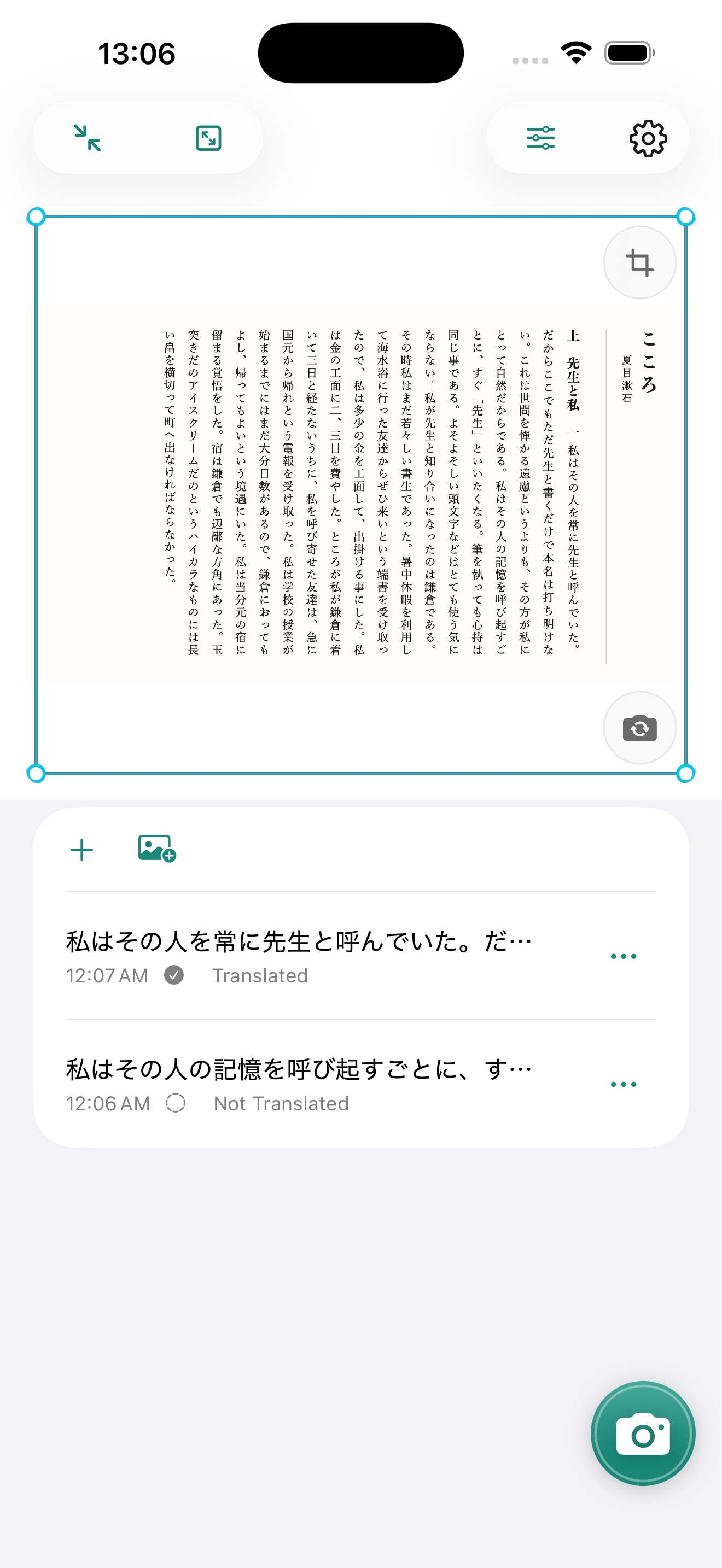
One capture session
Select, capture,
save source and translation.
Use Apple on-device processing or your selected AI to OCR and translate books, video subtitles, and text on screen.
How Konjac handles data-
01
Select the OCR area
Adjust the reading area on screen to include only the text you need.
-
02
Capture with the camera
OCR and translation start the moment you capture.
-
03
Save both instantly
The source and translation join your notes, ready for the next capture.
Ready for your next capture
Capture text.
Keep learning.
Download Konjac for iPhone and iPad and turn each capture into a source-and-translation note.